
Onboard once. Then your team runs the checks.
We help connect your game and prepare the first checks. After that, your team chooses builds and tasks, runs BugHunter, and reviews the evidence.
Built for game teams that want repeatable checks they can operate themselves.
How It Works
Step-by-step workflow
How It Works
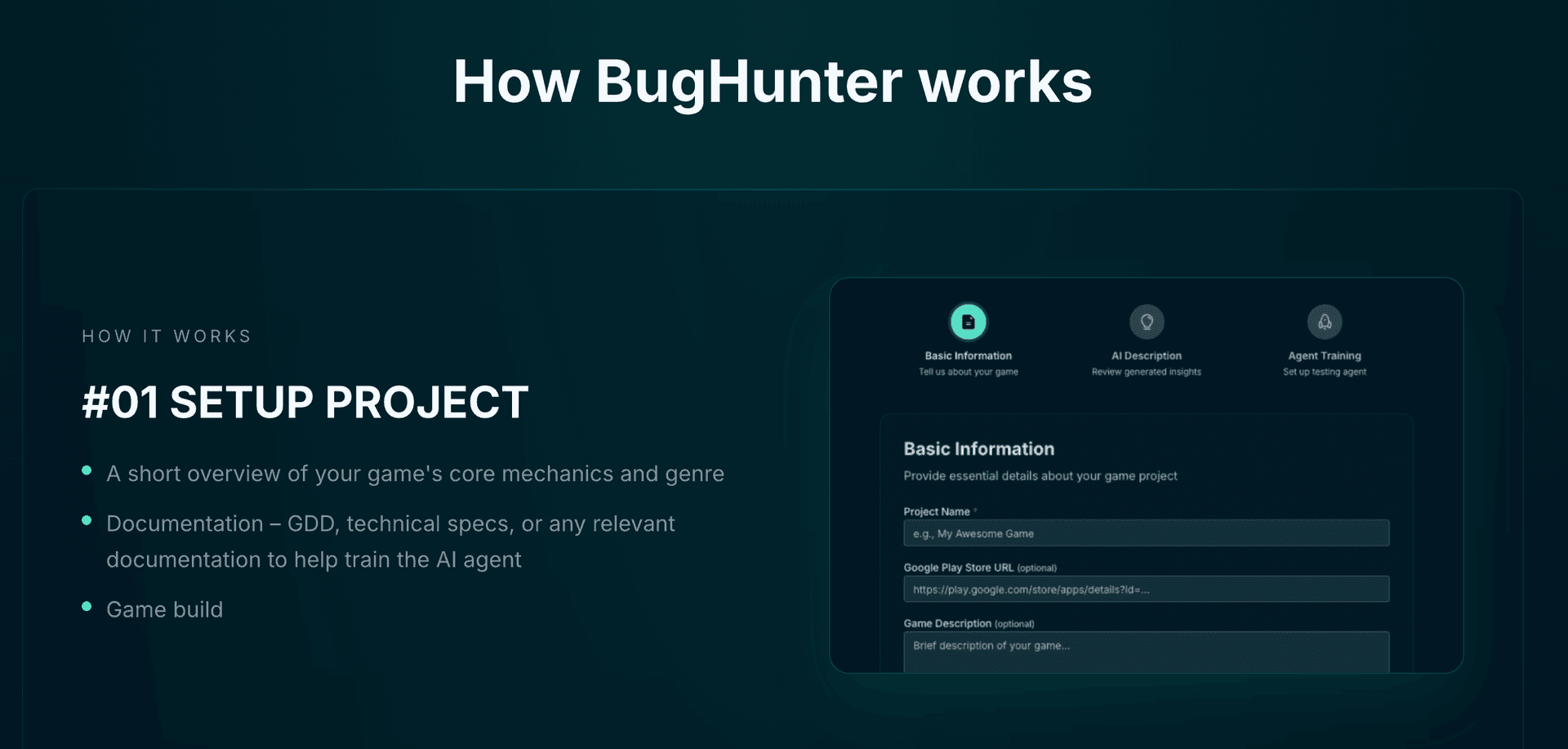
#01 SETUP PROJECT
- •A short overview of your game's core mechanics and genre
- •Documentation - GDD, technical specs, or any relevant documentation to help train the AI agent
- •Game build
The goal is not heavy setup. The goal is to give the agent enough context to understand what the game is, what matters, and where to begin.
How It Works
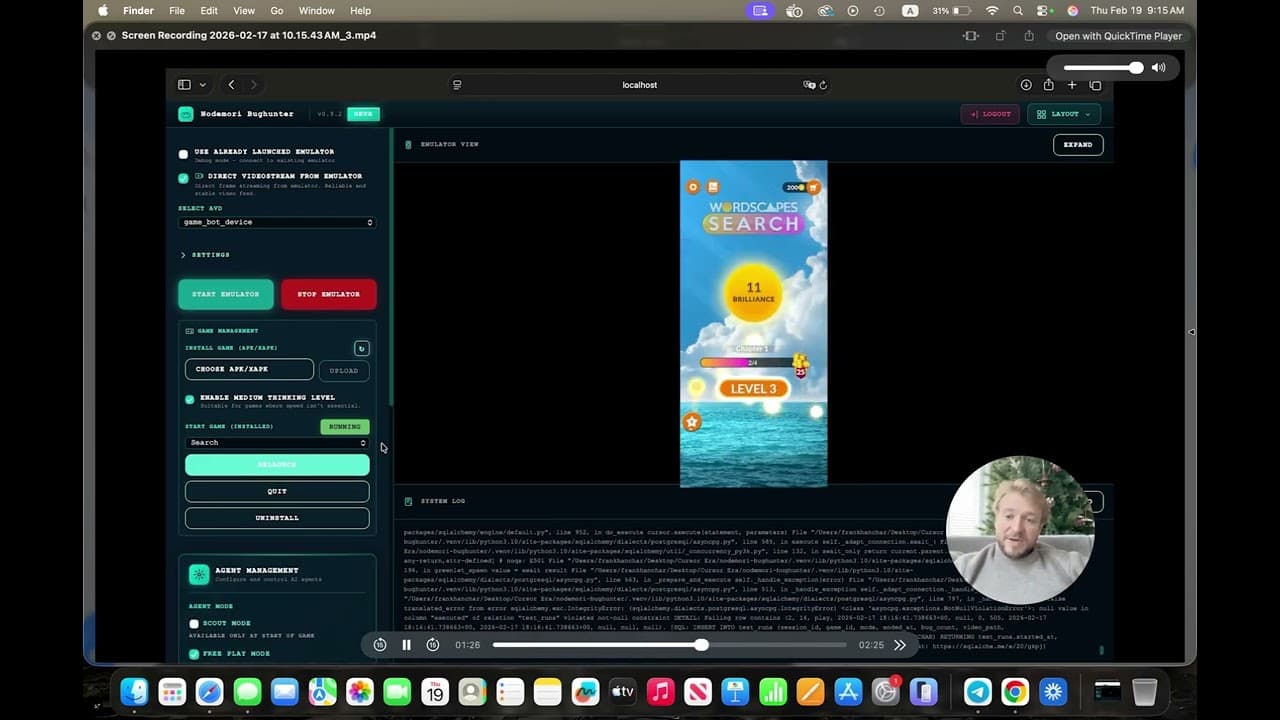
#02 AI PLAYS & LEARNS
Our AI
- •runs the game
- •explores mechanics
- •understands objectives
- •and builds a gameplay model - just like a human tester would on first playthrough.
This is where BugHunter moves beyond scripted QA. It begins to understand how the game behaves, not just how a pre-written test expects it to behave.
How It Works
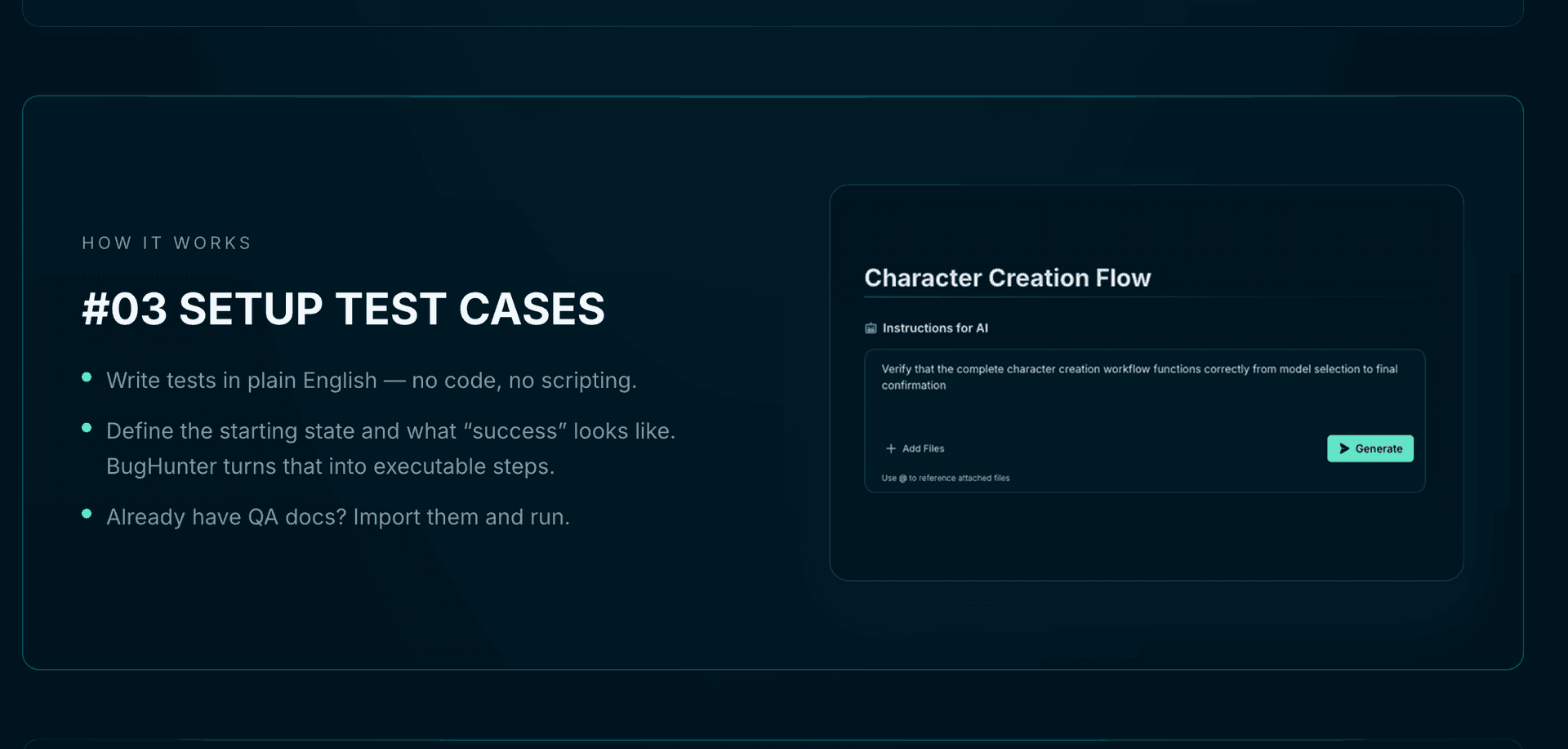
#03 SETUP TEST CASES
- •Write tests in plain English - no code, no scripting.
- •Define the starting state and what "success" looks like. BugHunter turns that into executable steps.
- •Already have QA docs? Import them and run.
BugHunter turns human-readable intent into executable testing logic.
How It Works
#04 GET REPORT
- •Gameplay video and the recorded action path
- •Expected vs. observed behavior for the assigned task
- •Outcome: pass, fail, blocked, or not run
- •Logs or internal game state where connected
- •Reproduction detail and severity confirmed by your QA team
Gameplay evidence comes from every run. Logs and internal state depend on available instrumentation and access. Your QA team confirms the finding and what needs attention.
See BugHunter in action
Watch the complete product flow: from build interaction to bug detection and reproducible reporting.
Full demo showing setup, AI gameplay, test case creation, and bug reporting workflow.
First-time onboarding
We help you get started.
Onboarding connects your game and prepares the product so your team can operate it. This happens once, with our help.
- 01
Connect the game
Share a supported build and the access needed to run it.
- 02
Supply context
Add game instructions and test context so checks reflect intended behavior.
- 03
Prepare first checks
We help set up initial checks and the connections your workflow needs.
- 04
Onboard the team
Your team learns to choose builds, start runs, and review findings.
Repeat use
From your build to the next check.
After onboarding, your team runs this loop: choose the build and check, let BugHunter execute, review the evidence, fix in your workflow, and retest. Each step has a named owner.
Your team runs the workflow. BugHunter executes the checks. NodeMori helps you get started.
- 01
Connect your game
Share the build, game context, and first checks during onboarding.
Nodemori helps your team configure the first run.
- 02
Assign the work
Your team chooses the build, task, and expected result.
Your team sets priorities.
- 03
Run and review
BugHunter executes the checks; your team reviews the evidence.
Your QA team accepts, rejects, or merges findings.
- 04
Fix in your workflow
Send findings to Jira or your tracker and update the build.
Your developers own the code changes.
- 05
Check again
Rerun the check and carry accepted knowledge into the next build.
Your team starts the retest.
Included capacity and support are defined in your plan: a run or capacity plan sets the runtime, retests, and support hours, with more available when you need it. Optional managed execution is available for teams that want it.
Four QA tasks. One worker.
Each task has a clear input and a clear output your team can review. Testcase answers “Does this check meet the expectation?” Regression answers “Does it still meet the expectation, and is the earlier issue fixed, on this build?”
Task availability depends on the game and build. Your team sets the checks and accepts the results.

Freeplay
How far can the worker get toward a goal? Follow an open-ended objective within a run limit and capture observations, blockers, and the path taken.

Testcase
Runs on the deterministic test-case capability shown in the product.
Does this check meet the expectation? Execute approved steps and compare the observed result with the expected behavior on the current build.
Regression
Reuses the deterministic test-case execution on a later build.
Does it still meet the expectation, and is the earlier issue fixed? Repeat approved checks and accepted issue paths on a later build, using the relevant baseline.

Scout
What is in this build? Explore a selected area and draft the mechanics, flows, and candidate checks for your team to review.
How BugHunter uses your game's context
BugHunter works from the context you provide for each run: game instructions, test data, test outcomes, and QA feedback. It learns from every run and adapts to the flows you need checked. Deeper signals such as logs, internal game state, or player telemetry are data integrations we can discuss for your pilot, not automatic inputs.
| Input | What it contributes |
|---|---|
| Game documentation and test cases | Mechanics, intended behavior, and the checks the team cares about |
| Gameplay and run data | Observed paths, starting states, outcomes, and evidence |
| QA feedback | Accepted or rejected findings, corrected expectations, and useful reproduction details |
| Build and issue history | What changed, what was fixed, and what needs to be checked again |
Run → record experience → apply QA feedback → update game knowledge → reuse it. Every run, including an unsuccessful one, is stored as experience; only QA-approved results become accepted knowledge, and a failed run never counts as a pass.
We review results with your team; outcomes depend on the game and the task.
Real devices
Real devices. Real purchase journeys.
Test in-game offers, store checkout, and reward delivery on real devices. Run purchase scenarios with platform sandbox accounts and test payment methods, capture what happened, and retest after the fix.
- In-game offer
- Store checkout
- Return to the game
- Item or entitlement
- Select the game's test offer, such as 100 gems, and record the starting balance or state.
- Run the purchase using the platform's test setup.
- Check the purchase outcome and the game's expected entitlement rule.
- Relaunch or revisit the relevant screen and check persistence or repeated processing.
- Return the build, action sequence, expected/observed result, video, and available transaction/state evidence.
- Track the accepted finding and repeat the check on the fixed build.
Where the assertion needs server-side entitlement evidence, we use actual connected state. A visible purchase animation alone does not prove backend crediting.
Scenarios we check
- Successful test purchase and the expected item or entitlement.
- Canceled or declined purchase and correct return to the game.
- Pending or interrupted purchase with no premature reward.
- Completed purchase followed by an app restart.
- Same transaction handled without duplicate grants.
- Restore behavior for purchase types that support restoration.
Purchase scenarios use platform sandbox accounts and test payment methods (Apple sandbox testing; Google Play license testers). Real devices are one part of the setup; test accounts, build configuration, and evidence access complete the scenario. This covers purchase flows, not all payment processing or production settlement.
Integrations
Works with the way your studio builds and tests
Bring your game build and test plan. Your team runs the checks in BugHunter and sends findings to QA and development, with our support when you want it. Keep issues in Jira or your tracker, and keep building in Unity, Unreal, or your existing pipeline. If your team uses Claude Code, you can also request a run through MCP and bring status and evidence back into your workflow — an optional side entry, not a required step.
Standard build-and-QA workflow first. Claude Code is optional.
- 01
Build input
Unity, Unreal, or your build pipeline produces the game build to test. Upload or CI may supply or select it.
Now: Provided by your team - 02
Claude Code / MCP request
An optional side entry: a developer can request a check from Claude Code or another MCP client and receive a run reference and status.
Now: Supported — optional entry - 03
BugHunter execution
BugHunter runs the chosen task on a qualified device and environment. Your team operates the product; optional managed execution is available.
Now: Product execution - 04
Evidence to QA & development
Gameplay evidence and the action sequence return for review. Your QA team accepts, rejects, or merges findings.
Now: Available - 05
Accepted issue handoff
An accepted finding goes to Jira or your tracker. Who creates or updates the ticket is agreed during setup.
Now: Configured with your team - 06
Fixed build returns
Engineering supplies the fixed build and your team reruns the agreed retest against the approved expectation.
Now: Retest in your workflow - 07
Approved context reused
Approved expectations and accepted findings set the baseline for the next run. Automated scheduling continues to expand.
Now: Learns from every run
Your team operates BugHunter and controls accepted findings and changes to expected behavior. We help connect your build and issue workflow during onboarding, and optional managed execution is available when you want it.
Intended tool-triggered sequence
- The studio selects a build and an approved check.
- A developer requests the check through a configured tool connection.
- NodeMori accepts the job and returns a run reference and status.
- Execution proceeds with the agreed device, starting state, runtime budget, and retry limit.
- The developer retrieves status and evidence references when the run completes or stops.
- QA reviews proposed findings. An accepted finding is handed to the issue workflow.
- Engineering supplies the fixed build; NodeMori runs the agreed retest.
Request accepted, run completed, check passed, and finding accepted are different events. Long-running execution is not an instant guaranteed response.
Check the tutorial reward on the selected build
using the approved test account and reset state.
Return the observed result, gameplay evidence,
and anything that blocked the check.
Illustrative only. This does not represent a live endpoint, package, MCP tool name, command, or a working “Run now” control.
Unity / Unreal
Where your team builds the game. An engine name alone does not prove every build or platform works.
Upload / CI
Supplies or selects the build and may initiate a configured task. Not all CI vendors or release gates are connected.
Claude Code
A developer-facing coding agent that can request tools and consume results. NodeMori does not run inside it.
MCP
The interface between an authorized tool client and NodeMori's execution service. A protocol alone does not run the game.
Real devices
Physical execution environments where the qualified task runs. Not every device, OS version, or console target is covered.
Jira / issue tracker
Destination for an accepted finding. Automatic ticket creation or two-way sync depends on the configured integration.
What a handoff can include
Not every field exists in every report. We show available fields from the real run and mark the rest as an illustrative contract.
| Record | Included when captured |
|---|---|
| Run identity | Run ID, build ID/version, task, device/OS or execution environment |
| Starting conditions | Test account type, reset state, relevant configuration |
| Check result | Expected behavior, observed behavior, pass/fail/blocked/not run |
| Evidence | Video or screenshots, action sequence, and available logs/state |
| QA decision | Pending review, accepted, rejected, or merged; severity confirmed by QA |
| Development handoff | Reproduction details and an issue reference when actually created |
| Retest | Fixed-build reference, reused or revised expectation, and the follow-up result |
“Pass” is a check outcome, not release approval. “Accepted” is a QA decision, not the same as “passed.”
What studios get from this workflow
A clear handoff
Build, task, outcome, and evidence stay connected for review.
Clear ownership
Your team assigns the work and BugHunter executes it; your QA team accepts results.
A next-build check
Accepted findings can become agreed retests on the following build.
Frequently asked questions
See how BugHunter would test your game
Send a game link and see BugHunter in action. We'll prepare a demo around your game and show how your team runs it after onboarding.